Grant discovery
Grant search software that turns research into a working pipeline.
Most nonprofit teams do not need more search results. They need a practical way to find relevant funders, review fit quickly, and move the right opportunities into active work without rebuilding context in a spreadsheet.
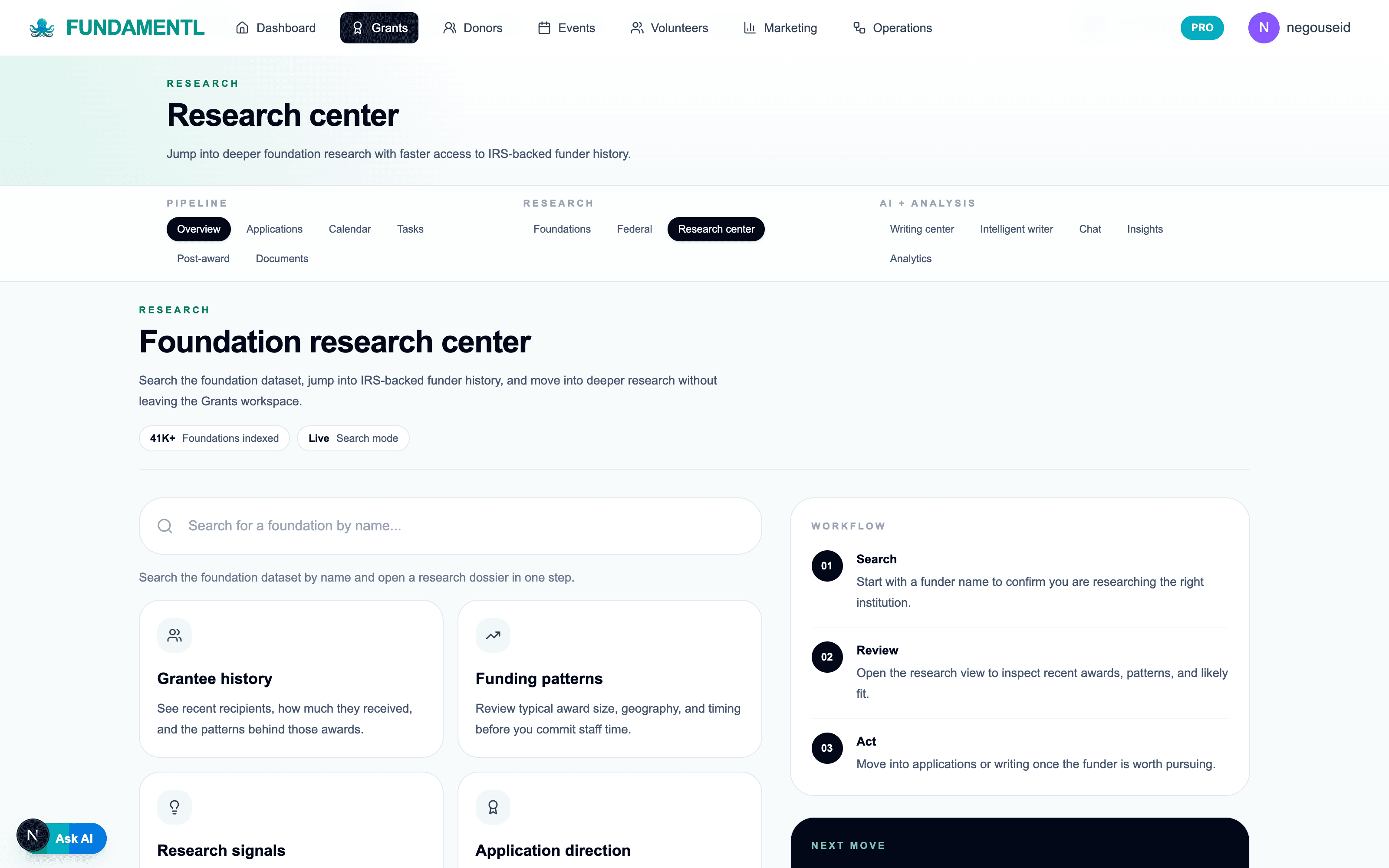
41,000+
grantmakers and funders indexed for ongoing search and shortlist building
IRS 990
research context that helps teams see fit before they spend hours drafting
1 workspace
from funder research to saved opportunity to live application workflow
Federal + foundation
discovery layers for teams that pursue more than one funding stream
What the workflow should feel like
Fewer rebuilds. Clearer next steps. Better follow-through.
Prospecting gets narrower
Your team stops collecting long lists of maybes and starts building a smaller shortlist of funders that actually match the mission, geography, and ask size.
Research stays attached to action
Instead of copying notes from a directory into another tracker, the research, funder context, and next step stay in the same working record.
Search time turns into pipeline progress
The end goal is not another search session. It is one more qualified opportunity added to a pipeline your team can actually move forward.
Workflow sequence
The system should reduce friction at every step.
Step 1
Define fit before you browse
Start with mission area, geography, funding range, and the real kind of project you are trying to fund so search stays focused from the first pass.
Step 2
Review funder context, not just names
Look at the giving history, research context, and what makes a funder worth pursuing instead of treating every search result as equal.
Step 3
Save only the matches that deserve time
Move qualified opportunities into the working pipeline with notes and ownership so the team is not re-evaluating the same prospects every week.
Step 4
Hand off directly into execution
Once a prospect is real, the record should already be ready for drafting, deadline tracking, and next-action follow-through.
What teams stop doing
- Maintaining giant prospect spreadsheets filled with funders nobody is realistically going to pursue.
- Jumping between separate directories, notes docs, and trackers just to decide whether a grant is worth the effort.
- Re-researching the same foundation every time the team comes back to it.
- Treating search as a separate activity from the actual grant workflow.
What teams start doing
- Using fit criteria to build a qualified shortlist instead of a long database export.
- Capturing research notes and next steps in the same system where the application will live.
- Turning promising search results into assigned, trackable work immediately.
- Keeping discovery and execution connected so the team moves faster after the first good match.
Questions teams ask
Buying software is really buying a workflow.
How is this different from a foundation directory?+
A directory gives you data. Grant search software should help your team qualify fit, save the right opportunities, and move those opportunities into a real working pipeline without rebuilding context elsewhere.
Can our team search both foundation and federal grants?+
Yes. The workflow is meant for nonprofit teams that need to research multiple funding streams while keeping the resulting work inside one operating system.
What happens after we find a strong match?+
The point is to move directly from research into active execution. Qualified opportunities should become live records with ownership, deadlines, and drafting momentum, not another row in a spreadsheet.
Is this useful for small nonprofit teams?+
That is the main use case. Fundamentl is built for lean teams that need clarity and forward motion, not a heavy research stack that requires extra admin overhead.
Final step
Find the next funder and keep the work moving.
If your current search process ends with a spreadsheet and a vague idea of what to do next, the workflow is still broken. Use a system that gets the right opportunity into real execution while the context is still fresh.