Operations module
Operations software for nonprofits that need leadership clarity without another reporting project.
Fundamentl helps nonprofit teams keep priorities, board updates, projects, documents, and follow-through in one operating layer. It is built for teams that need a clearer read on what is happening and what is slipping before the next board packet or staff meeting exposes the gap.
- Board summaries, dashboards, projects, and operational follow-through
- Designed for nonprofit teams that need alignment across functions
- Useful for directors and operators, not just analysts
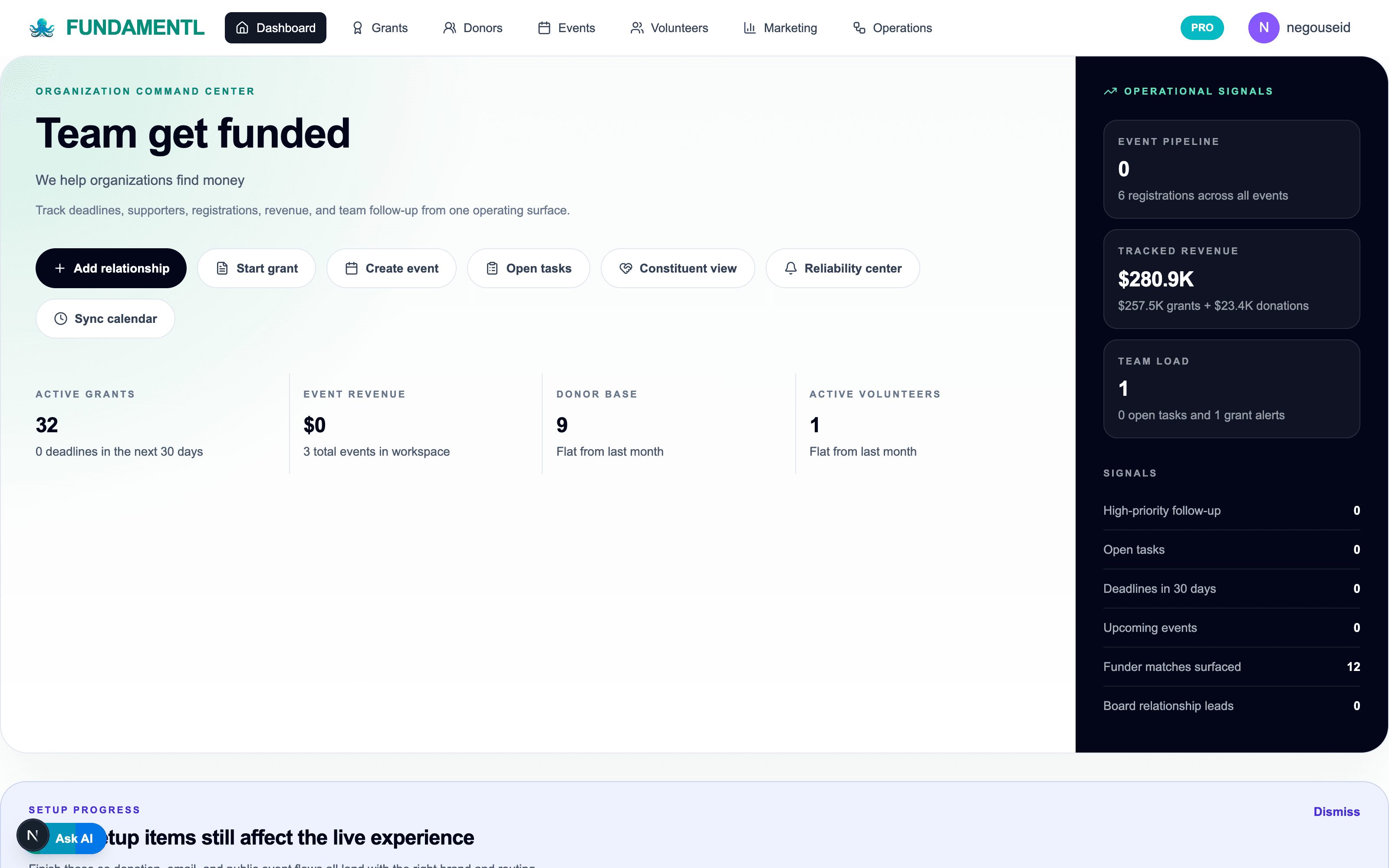
What leadership sees sooner
- Board-ready
- for summaries and leadership context built from current data
- Ownership visible
- so projects and operating gaps stop hiding in the org
- 1 dashboard
- for cross-functional status instead of several partial updates
- Reliability-aware
- through gap scanning and operational follow-through
Screenshots, feature descriptions, and visible product claims reflect the current product build as of May 13, 2026.
Product views
What does nonprofit operations software look like in practice?
These are real screens from the current module so buyers can evaluate workflow depth, not just abstract feature claims.
Projects
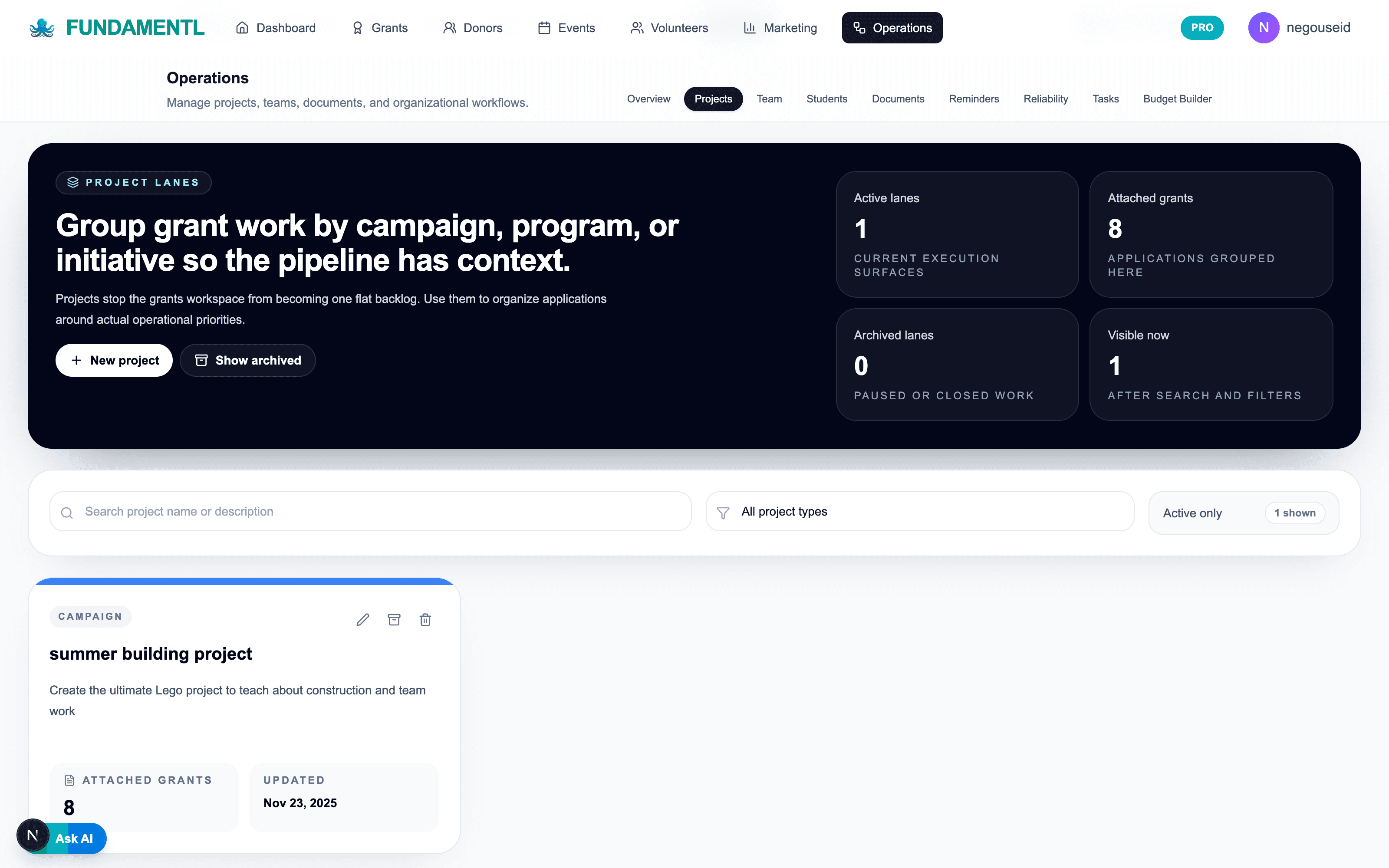
Group cross-team work by initiative so ownership and attached grant context stay visible.
Reliability
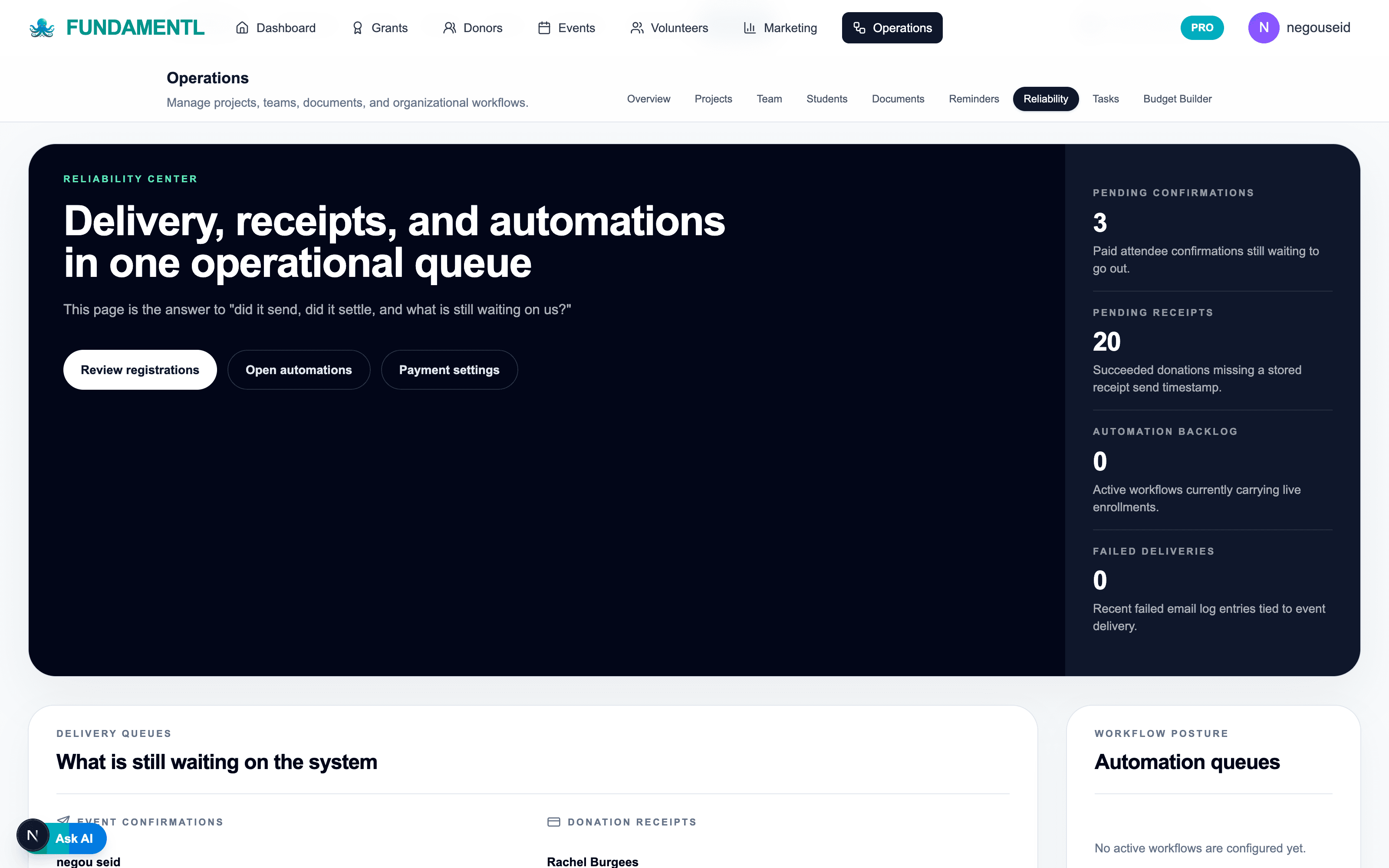
See what is still waiting on confirmations, receipts, or automation follow-through.
Best fit
Who is nonprofit operations software best for?
A useful nonprofit operations system helps the team see priorities, owners, reliability risks, and board-level status without a separate reporting project every month. Fundamentl is designed to keep those operational threads connected so decisions happen from current context, not stale summaries.
Best for
- Executive directors and operators trying to align cross-functional work
- Teams that need board summaries and leadership visibility without manual compilation
- Organizations with recurring follow-through gaps across grants, donors, events, and projects
Why teams switch
- Operational visibility becomes easier to maintain because it comes from live workflow data
- Ownership and handoffs are clearer across projects, reminders, and reporting tasks
- The board packet and staff update process gets lighter because the source system is stronger
From operational drift to operational clarity
The board packet usually exposes a reporting problem that started as a workflow and ownership problem.
Nonprofit operations do not fail because teams lack effort. They fail because priorities, owners, and status signals stay scattered until leadership needs a clear answer fast.

Common operations headaches
The common workflow drag this product is built to reduce.
Common operations headaches
Manual board prep
Leadership updates depend on exported spreadsheets, slide cleanup, and chasing several people for status.
Unclear ownership
Important work slips because handoffs and next actions are not visible enough across the team.
Silent workflow gaps
Reliability issues often surface only after a miss, because there is no live operating view of the weak points.

Fundamentl
One operating picture for leadership

What the connected system fixes
The calmer connected workflow teams can move toward.
What the connected system fixes
Shared operating dashboard
Leadership can read priorities, progress, and blockers from current workflow context instead of a manual recap.
Role clarity and tracked follow-through
Projects, reminders, and assignments make ownership easier to maintain across teams.
Board-ready reporting and gap scanning
The system highlights risk and turns current operating status into leadership-ready context faster.
What changes
What improves after switching to nonprofit operations software?
Clearer operational ownership
The team spends less time wondering who owns the next step and more time keeping work moving across functions.
Faster leadership reporting
Board and executive updates become easier when the operating status already lives in a structured system.
Fewer silent gaps
Reliability problems show up earlier when workflows, reminders, and progress are visible before they become crises.
Workflow sequence
How does nonprofit operations software fit the day-to-day workflow?
Step 1
Define the current priorities
Put the active initiatives, owners, and operational focus areas into one working system that leadership can see.
Step 2
Track work and reliability together
Use projects, reminders, and gap-scanning to see what is moving and what is quietly slipping.
Step 3
Generate leadership-ready context
Turn the current operating state into board and executive reporting without rebuilding from scratch.
Step 4
Drive the next action faster
Use the clearer status picture to push follow-through, resolve blockers, and tighten accountability across teams.
Included in the module
What features are included in nonprofit operations software?
Board summaries and recommendations
Give leadership cleaner reporting context and working recommendations without a separate deck-building ritual.
Operational dashboards
Track the high-level status of projects, reliability, and organizational performance in one view.
Projects, tasks, and reminders
Keep follow-through visible so priorities do not disappear after the meeting ends.
Document and workflow support
Tie important operational materials to the working context they belong to instead of burying them in folders.
Gap-scanning and role clarity tools
Use built-in tools to find ownership issues, reporting risk, and process gaps earlier.
Cross-functional operating view
Keep grants, donors, events, and team operations aligned inside one broader operating picture.
What teams are replacing
- Status meetings that depend on memory and separate updates
- Board prep assembled from several systems and exported spreadsheets
- Task lists that never connect back to organizational priorities
- Operational risk that only becomes visible after a miss
What Fundamentl changes
- One operating layer for priorities, progress, and follow-through
- Cleaner board and leadership visibility from current workflow data
- Better ownership and role clarity across teams
- Earlier signal on reliability gaps before they become board-level problems
Next moves
Keep the evaluation moving with a guide, a tool, or a comparison page.
Open the operations guide
See how the operations module is positioned for dashboards, leadership, and team workflow.
Open the operations toolkit
Run the workflow risk assessment, build board/funder reports, and clarify ownership before moving into operations.
Compare Fundamentl vs Salesforce NPSP
See why lean teams choose a narrower, more operationally usable system.
Questions buyers ask
Frequently asked questions about nonprofit operations software
Is this mainly a reporting module?+
No. Reporting is a major output, but the real value is the operating workflow underneath it: ownership, reminders, projects, dashboards, and the reliability context leadership needs.
Who benefits most from this module?+
Executive directors, operators, chiefs of staff, and cross-functional leaders benefit most because they need a clearer read on what is happening across the organization.
How is this different from a generic project tool?+
Generic project tools rarely help with nonprofit board reporting, operational gap detection, or cross-functional visibility. Fundamentl is built for the workflows leadership teams actually need to see and run.
Final step
Stop rebuilding the operating story before every staff meeting and board packet.
If leadership visibility still depends on last-minute exports, slide assembly, and separate status checks, the operating system is too weak. Use one system that keeps ownership, progress, and reporting context current all month.
Built for nonprofit leadership clarity, workflow reliability, and board-ready reporting.