Volunteer module
Volunteer management software that helps teams fill shifts without losing the people behind them.
Fundamentl gives nonprofits a cleaner workflow for volunteer intake, role setup, scheduling, reminders, hour tracking, and retention follow-up. It is built for the day-to-day realities of volunteer coordination, not just sign-up forms.
- Volunteer intake, role setup, and shift scheduling
- Reminder support and cleaner attendance visibility
- Hour tracking that helps with recognition and reporting
What gets simpler
- 1 roster
- for applications, roles, attendance, and volunteer history
- Shift-aware
- so reminders and staffing gaps are easier to manage
- Hours tracked
- for reporting, impact stories, and internal visibility
- Retention help
- through cleaner follow-up and volunteer activity context
Screenshots, feature descriptions, and visible product claims reflect the current product build as of May 13, 2026.
Product views
What does volunteer management software look like in practice?
These are real screens from the current module so buyers can evaluate workflow depth, not just abstract feature claims.
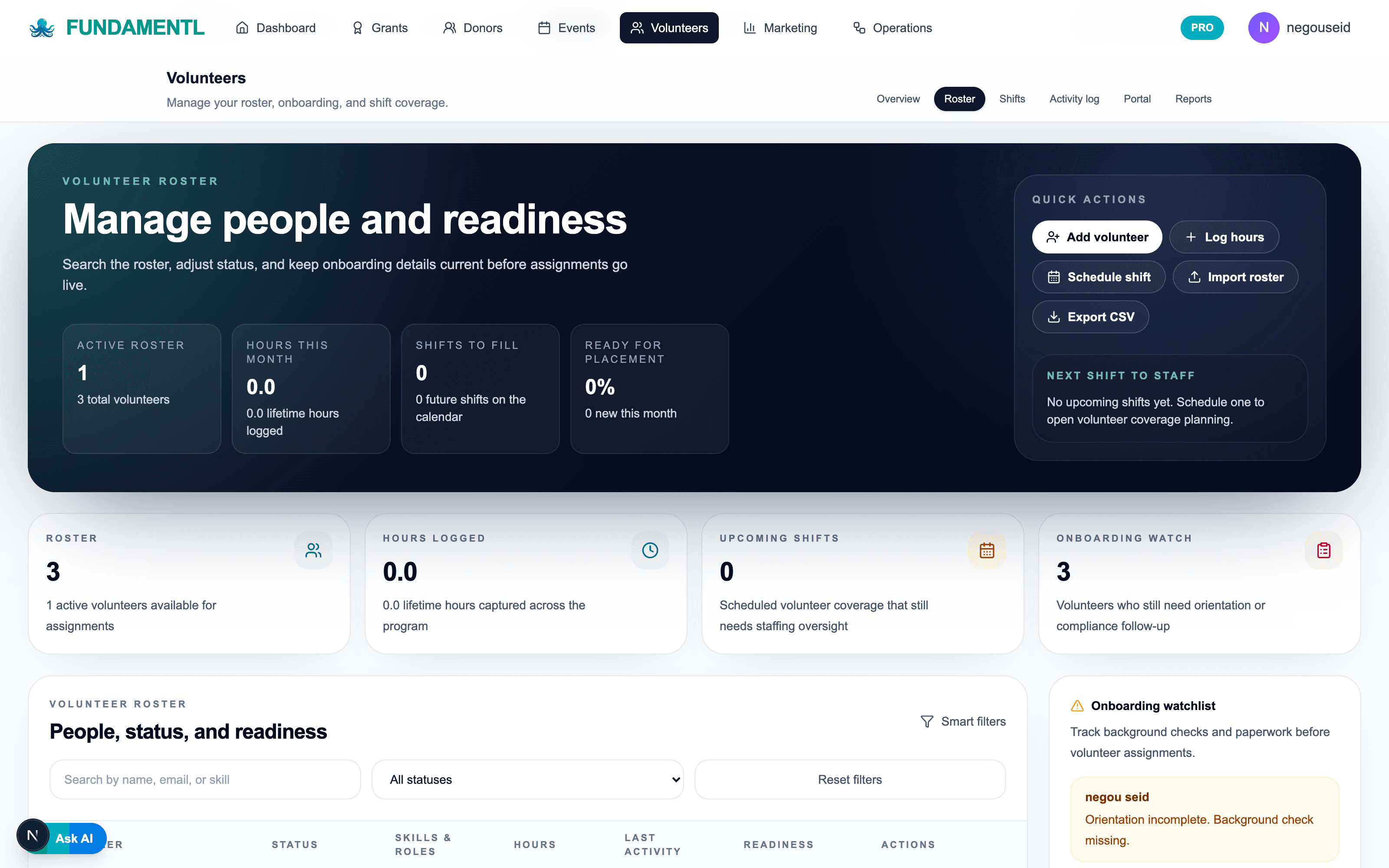
Volunteer roster
Keep readiness, onboarding, and assignment status visible before shifts go live.
Shift coverage
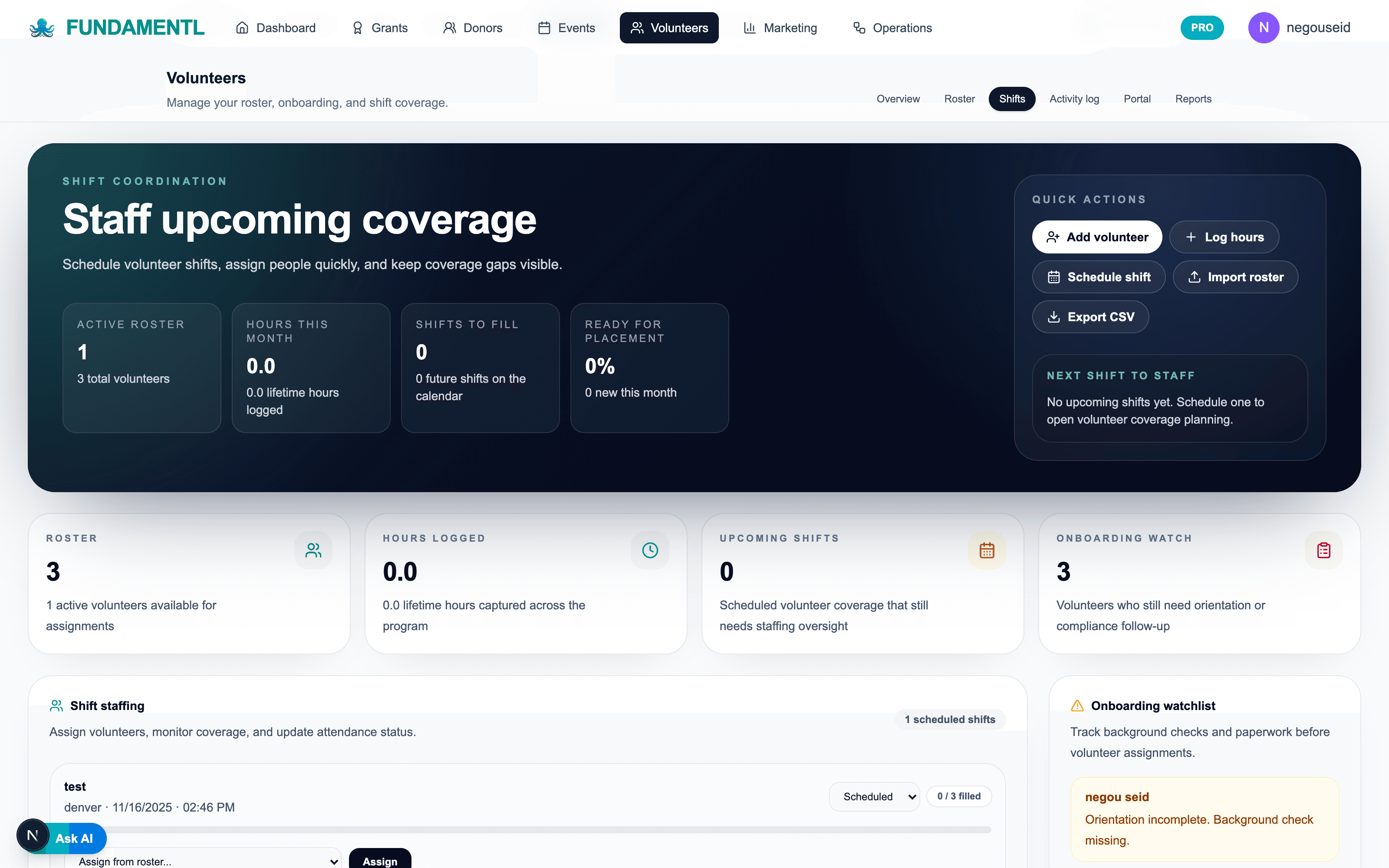
Assign staff upcoming coverage and spot open needs before the day arrives.
Best fit
Who is volunteer management software best for?
Volunteer programs break down when recruiting, scheduling, reminders, and hour tracking each live in separate places. Fundamentl keeps those workflows connected so the team can spend less time patching together schedules and more time supporting volunteers well.
Best for
- Programs that run repeat volunteer shifts, events, or ongoing service roles
- Teams that need a cleaner path from volunteer recruitment to attendance and retention
- Organizations tracking volunteer hours for grants, reporting, or recognition
Why teams switch
- Volunteer records, shift activity, and follow-up live in one system
- Scheduling becomes easier when role clarity and reminders are part of the same workflow
- Retention gets easier to manage because participation history stays visible
From volunteer confusion to volunteer continuity
Volunteer programs slip when recruitment, scheduling, reminders, and hour tracking all happen in separate places.
The visible issue might be empty shifts or missed reminders, but the root problem is almost always fragmented volunteer workflow and unclear role context.

Common volunteer management headaches
The common workflow drag this product is built to reduce.
Common volunteer management headaches
Unclear role setup
Volunteer roles and intake instructions are inconsistent, so recruiting starts with avoidable confusion.
Scheduling gaps and no-shows
Shift coverage depends on manual follow-up and reminder work spread across tools.
Hard-to-track participation
Hours, attendance, and engagement history are difficult to use for recognition or reporting.

Fundamentl
One volunteer coordination layer

What the connected system fixes
The calmer connected workflow teams can move toward.
What the connected system fixes
Cleaner role and portal flow
Volunteer opportunities, intake, and participation records stay connected from the start.
Shift reminders and attendance visibility
The team can see staffing gaps and manage reminders without relying on side systems.
Hours and retention context
Participation history becomes easier to use for recognition, reporting, and smarter volunteer follow-up.
What changes
What improves after switching to volunteer management software?
Faster role setup and recruitment
The team can define clearer opportunities and turn them into cleaner recruitment and onboarding flows.
Less scheduling confusion
Shift assignments, reminders, and attendance status stay visible instead of living across inboxes and side spreadsheets.
A stronger retention loop
Volunteer history and hours give the team a better read on who is engaged, who needs follow-up, and who deserves recognition.
Workflow sequence
How does volunteer management software fit the day-to-day workflow?
Step 1
Publish the role and intake path
Start with a clear volunteer role, application or sign-up path, and the basic context people need before they commit.
Step 2
Fill and manage shifts
Coordinate scheduling and availability in one place so gaps are visible before the day arrives.
Step 3
Confirm attendance and hours
Keep participation status and hours logged in the same volunteer record that started at intake.
Step 4
Follow up to retain the right people
Use engagement and participation context to support recognition, volunteer appreciation, and retention actions.
Included in the module
What features are included in volunteer management software?
Volunteer intake and portal flow
Support applications, basic profile collection, and easier volunteer entry into the system.
Shift scheduling
Build roles, shifts, and assignments in a way the volunteer team can actually maintain.
Reminders and attendance support
Reduce no-shows and confusion with better visibility before each shift.
Hour tracking and reporting
Log volunteer time for program visibility, grant reporting, and recognition workflows.
Retention and recognition context
See activity history and make better decisions about who needs thanks, outreach, or more responsibility.
Connected nonprofit operations
Keep volunteer activity connected to events, operations, and broader team coordination when needed.
What teams are replacing
- Forms for intake, spreadsheets for scheduling, and inboxes for reminders
- Volunteer records that never stay current after the first sign-up
- Manual hour tracking and recognition lists
- A retention process built mostly on memory
What Fundamentl changes
- One volunteer system from role setup through attendance and follow-up
- Cleaner scheduling and reminder visibility before each shift
- Hours and engagement history tied to the real volunteer record
- A more practical retention workflow for busy teams
Next moves
Keep the evaluation moving with a guide, a tool, or a comparison page.
Open the volunteers guide
See how the volunteer module fits recruiting, scheduling, and reporting workflow.
Open the volunteer capacity toolkit
Create roles, recruit volunteers, check retention risk, and build appreciation before moving into the roster.
Run a volunteer retention check
Spot volunteer engagement risks earlier with the retention checker tool.
Questions buyers ask
Frequently asked questions about volunteer management software
Is this mainly for volunteer scheduling?+
Scheduling is a major part of it, but the bigger value is that recruitment, reminders, attendance, hours, and retention context stay connected instead of living across several tools.
Can we use it for both events and ongoing programs?+
Yes. The workflow is intended for recurring program roles, event shifts, and broader volunteer coordination needs.
Why not just use a generic sign-up tool?+
Because a sign-up form does not solve scheduling clarity, retention, attendance history, or reporting. Fundamentl is built for the operating workflow around volunteer participation, not just the first click.
Final step
Run the volunteer program from one workflow instead of a sign-up form plus side lists.
If recruiting, scheduling, reminders, and hours still break apart into separate tools, the program will keep leaking time and context. Move the volunteer workflow into one system and make coordination easier to sustain.
Built for volunteer recruitment, scheduling, reminders, and retention support.